
Heavy Rain: turning a repeated workflow into an app preview
At the Gemini 4 Argon SF Hackathon, Betame and I built a prototype that turns an employee's edited workflow brief into a sandboxed web preview for internal software review.




This post is AI augmented.
I used LLMs for research and some writing help, since English isn’t my first language. Still, I personally guide and edit the writing because I don’t want to publish AI slop.
This blog is for my own understanding and to look back on later. It’s a place to write down my projects and research related to things I’m working on.
On Sunday, October 25, 2026, I teamed up with my colleague Betame at the Gemini 4 Argon SF Hackathon, hosted by Google DeepMind and Cerebral Valley at SHACK15 in San Francisco's Ferry Building. I could not have built our project, Heavy Rain, without him. We used the hackathon to work on a practical gap in AI-assisted operations: a prompt in Claude or Gemini may help with one step of a recurring task, while gathering context beforehand and copying structured fields into system records afterward remain manual work across separate tools.
For someone who builds or operates internal software, that surrounding routine is useful evidence. The records opened before the prompt identify the inputs, the prompt instructions describe the transformation, and the fields updated afterward outline the target schema. Those pieces do not settle permissions, live system integrations, or edge cases, yet they provide a concrete starting specification for a small shared tool. Heavy Rain tests what happens when the person doing the work edits a plain-language brief of that routine and sends it to a coding agent to generate an interactive web preview, which you can see in our hackathon demo video and inspect in the public GitHub repository.
FROM MANUAL ROUTINE TO SHARED INTERFACE
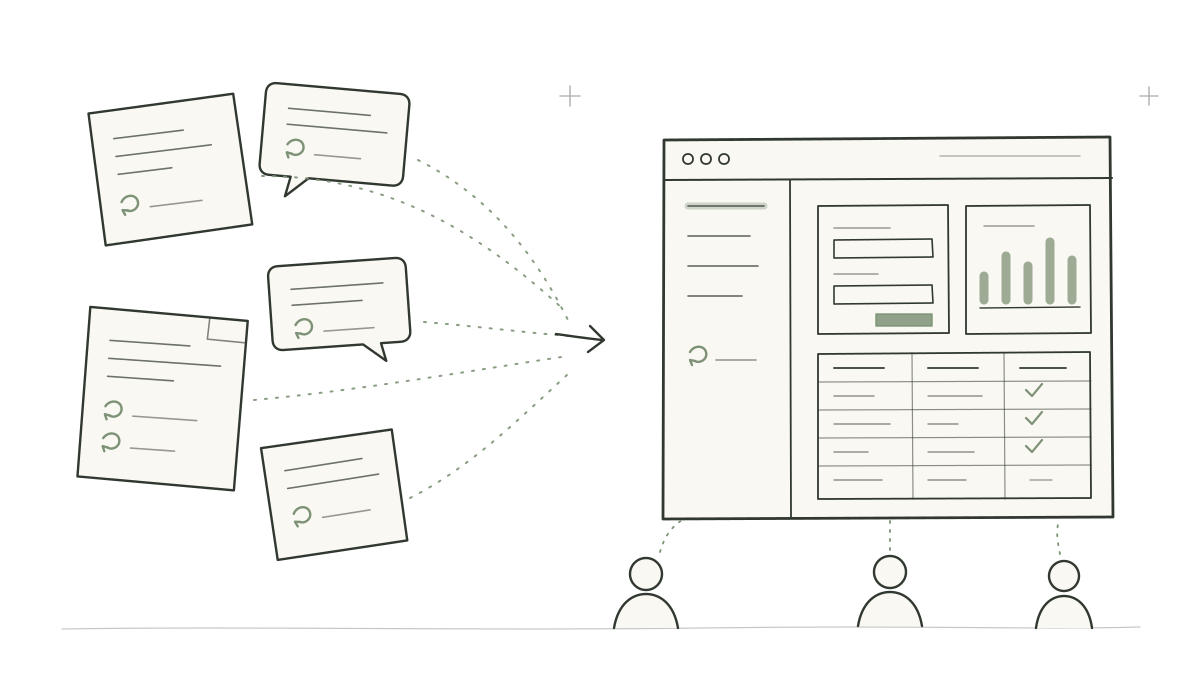
Seven manual steps around a 45-minute founder screening call
Our six-page hackathon slide deck walks through an example persona named Marcus Vance, an investor who runs 14 founder screening calls each week. Every 45-minute conversation sits inside a seven-step manual workflow. Before a call begins, Marcus pulls together Affinity CRM notes, a recent email thread, and company news, then pastes those excerpts into Claude or Gemini with a screening prompt requesting five pre-call questions.
During the 45-minute meeting, Marcus records the conversation with Granola. Afterward, he copies the transcript into Gemini to produce a deal note, prepares a follow-up email, and manually updates six fields in Affinity CRM. Each step is manageable on its own, yet repeating all seven steps across 14 calls a week turns a quick prompt completion into a recurring loop of assembling notes and updating records by hand.
Pasting excerpts into a chat session handles the prompt steps, while the pre-call sources, risk review, and CRM updates remain split across separate tabs. Writing down the full routine turns those steps into a starting specification for a dedicated application, DealPulse AutoBrief, organized around three views: a pre-call brief with five screening questions, a call summary and risks view pairing the deal note with three diligence risks, and an email and CRM follow-up view with editable drafts and six Affinity field updates.
The Marcus brief page and the four-view operator console
To show how an employee shapes that specification, Betame and I built the Marcus workflow page alongside the Heavy Rain operator console. On the Marcus page, the founder screening workflow appears as an editable text brief. Its current default text lays out a focused three-view request for DealPulse AutoBrief covering pre-call preparation, post-call review, and outbound email and CRM follow-up drafts. The person doing the work can edit that text to adjust the views, inputs, or draft fields before sending it to the live builder.
The operator console organizes the wider prototype across four views: Ingest displays submitted workflow evidence in a preset routing demonstration, Build tracks coding-agent generation runs and serves their saved previews, Apps lists application catalog entries, and Activity records the event timeline. In Build, you can open completed hackathon runs from October 25 and October 26, 2026 in both Argon and Flash modes. Those saved runs reflect the earlier briefs that generated them: for example, a saved Argon preview from the hackathon builds out Pre-Call Brief HUD, Market Comp Ticker, Post-Call Synthesis, and Access & security screens, letting a reviewer compare the generated interface with the specific brief recorded for that run.
Alongside the brief-to-preview builder, the public repository includes two standalone example applications: a finance workbench for trial-balance mapping, EBITDA variance, and debt headroom, and an engineering workbench for 3D design and mass-balance views. Those two workbenches are separate packages included with the project rather than outputs generated through Heavy Rain's brief-to-builder flow, showing how fuller domain tools sit in the catalog beside generated previews.
How Transfer Context builds and sandboxes a web preview
The live build path starts with an explicit handoff on the Marcus page. After reviewing or editing the workflow description, the user clicks Transfer Context. The React frontend packages the edited brief with derived app details and build assumptions into a live-build request. Instead of collecting browser history, chat threads, screenshots, or local files, the page sends that deliberate request to the builder workbench for generation and human review.
EDITED BRIEF TO SANDBOXED PREVIEW
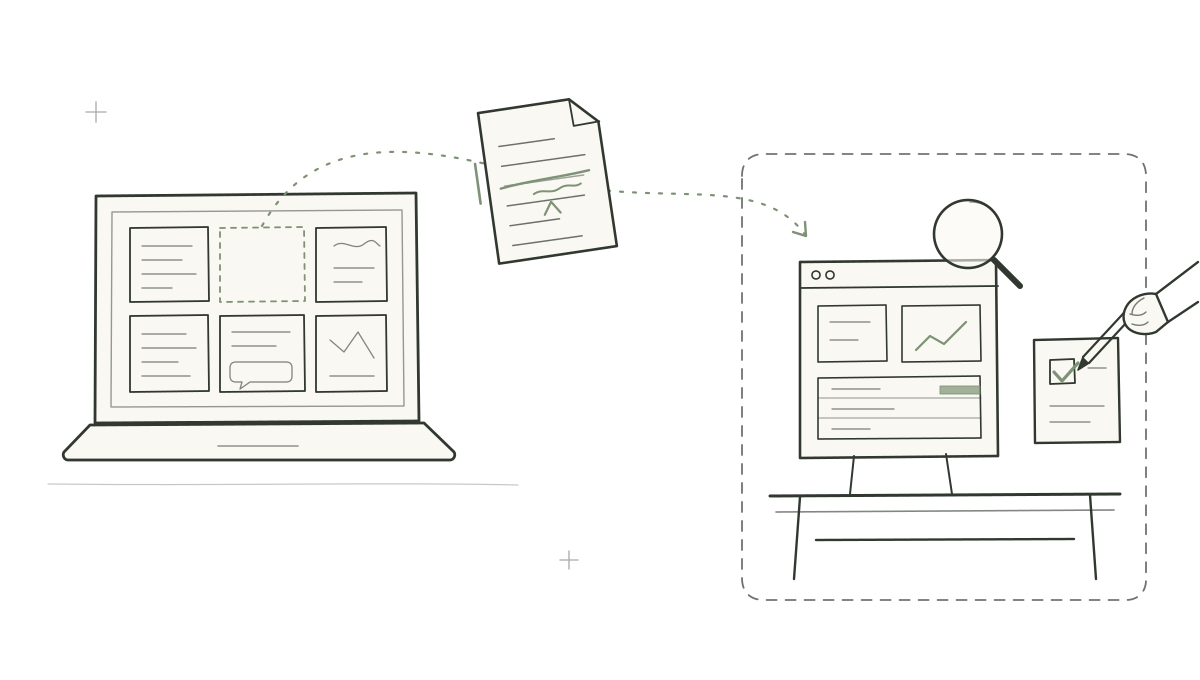
When the Python backend receives that request at its live-build endpoint, it reserves a build record, combines the submitted workflow description with static application styling rules to form a builder prompt, and starts a remote Antigravity coding-agent session in the background. The backend maps Flash and Argon build modes to different models and prompt templates: Flash mode asks for a quick scaffold, while Argon mode asks for a fuller interactive application. Once the coding agent finishes, the backend downloads the generated HTML, CSS, and JavaScript bundle, verifies that it includes an index.html entry point, and saves the artifact for review.
Both the builder prompt and the server headers restrict what a generated preview can do in the browser. The prompt contract instructs the coding agent to use example data or manually pasted inputs held in local browser state, and to produce reviewable email and CRM drafts without making external network calls or writing to production systems. When the backend serves a saved Argon artifact, it also sends a Content-Security-Policy header (including connect-src 'none', form-action 'none', and sandbox allow-scripts) that blocks outbound network connections and form submissions while letting local interface scripts run.
From a local preview to shared internal software
Opening a generated preview alongside the brief that requested it gives the employee and an internal software engineer something concrete to inspect. Instead of debating a ticket description in the abstract, they can click through the proposed screens, paste text into local inputs, and spot missing fields or awkward steps before writing backend code. Even so, a preview only tests the layout and local interaction flow; it does not resolve data permissions, error handling, or live system behavior.
A similar boundary separates the console's intake demonstration from a live organizational queue. In our deployed console, the weekly routing demonstration applies preset deterministic rules to example workflows with live model review disabled. Turning that view into an operational intake system would mean grouping similar workflow briefs submitted across a team, checking the existing Apps catalog before starting a new coding-agent build, and pointing coworkers to an existing tool when their workflow is already covered.
Moving a preview into production also requires building the integrations and governance controls that the sandbox intentionally blocks. To replace manual copy-pasting in a workflow like Marcus's, an engineering team has to connect the interface to authenticated CRM, email, and call-transcript sources, apply organization sign-on and access rules, and assign an owner to maintain the software as schemas change. An edited workflow brief and a sandboxed preview help a team inspect a proposed tool early, while leaving engineers to decide which workflows justify live integrations and long-term maintenance.